Server room power reliability is critical. A single outage can halt operations. Both UPS systems and generators play vital roles. UPS covers immediate interruptions. Generators handle longer outages.
The core question: how do I select the right emergency backup generator? The answer involves calculating power load, choosing fuel, sizing correctly, and ensuring compliance. For small server rooms, portable generators may suffice. Larger data centers need high-capacity units.
Power failures are the leading cause of impactful outages. According to the Uptime Institute’s 2025 Annual Outage Analysis, power system failures account for 45% to 54% of such incidents.
The latest data from Splunk and Cisco’s “Hidden Costs of Downtime 2026” report puts the average cost of downtime at $15,000 per minute.
This cost underscores the need to select emergency backup generators wisely.
Select Emergency Backup Generators: Calculate Power Load
The first step to select emergency backup generators begins with a complete power audit. You must know exactly what your server room consumes. This audit forms the foundation for every other decision. A generator sized without accurate data will fail when you need it most.
List Equipment and Future Growth
Start by listing every electrical load in the room. Include servers, storage arrays, network switches, cooling units, UPS systems, lighting, and security equipment. Do not forget wall outlets and monitoring devices. Each item has a nameplate showing its wattage or amperage. Record these values carefully.
Server racks vary widely in consumption. Traditional racks draw 5–15 kW per rack. Standard data center racks average 7–10 kW. AI-optimized racks with high-performance GPUs consume 40–60+ kW. Cutting-edge AI training facilities can exceed 100 kW per rack. Your rack type directly determines your total load.
Cooling represents a major portion of the electrical load. Transformers contribute about 66% of the heat load in a typical server room. Variable frequency drives (VFDs) add another 24%. Solar gain, lighting, and occupancy account for the remaining 10%. These figures matter because cooling equipment must handle the heat generated by your IT gear.
Add a growth margin to your total. This buffer accommodates new servers, expanded storage, and increased cooling demand. A room that runs at 80% capacity today may reach 100% within two years. Planning for growth prevents premature generator replacement.
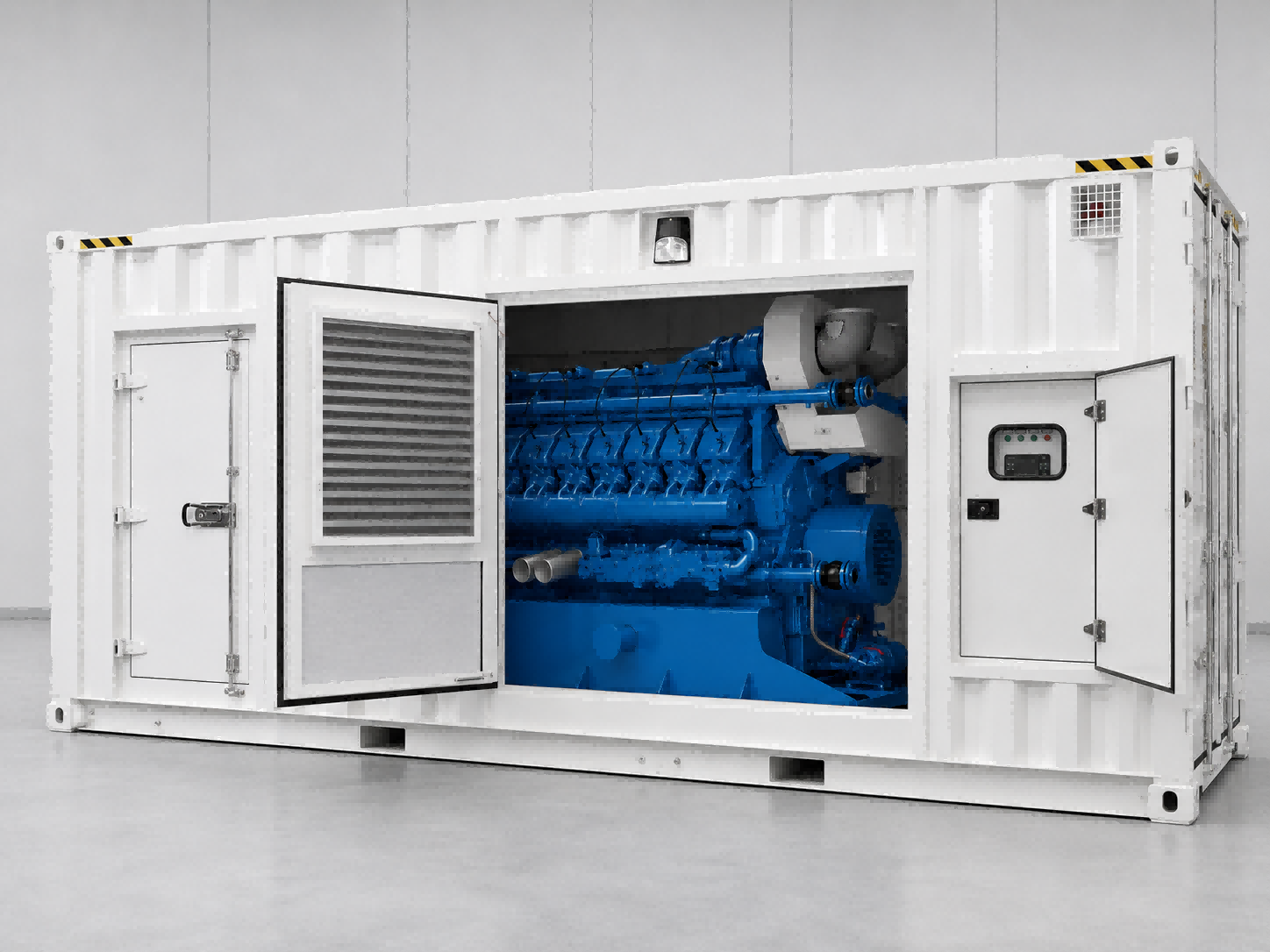
For small server rooms, a portable generator may suffice. Larger facilities require industrial units. The total wattage from your equipment labels determines which category fits your situation.
Safety Margin and Starting Surge
Electrical motors draw extra current when they start. Air conditioning compressors demonstrate this clearly. A 10-ton unit has a Running Load Amps (RLA) of 15–25A. Its Locked Rotor Amps (LRA) ranges from 75–150A. That represents 5–7 times the running current. Your generator must handle this surge without stalling.
Calculate the running power first. For a 10-ton unit, multiply 10 tons by 3.516 kW per ton. Divide the result by the Energy Efficiency Ratio (EER). A unit with an EER of 12 produces roughly 2.93 kW of running power.
Next, account for power factor and safety margin. Divide the running kW by the power factor (0.80–0.85). Multiply by 1.25 for continuous operation. This yields the apparent power in kVA. For our example, the result is approximately 4.31 kVA.
Finally, calculate the startup surge. Multiply the continuous kVA by the LRA multiplier of 5–7 times. The 10-ton unit requires about 25.9 kVA at startup. A 20 kVA UPS proves adequate when sized for locked rotor current rather than full-load rating. The same principle applies to generator selection.
The UPS handles the immediate power transition. It bridges the gap between utility failure and generator startup. The generator then sustains operations for extended outages. Both systems work together, but each requires proper sizing.
Use manufacturer sizing tools to verify your calculations. APC and other vendors offer online calculators. These tools account for starting surge and power factor automatically. They provide a reliable starting point for your selection process.
A thorough power audit takes time. The effort pays off when your generator starts reliably during an outage. Accurate load calculation remains the single most important factor when you select emergency backup generators for your server room.
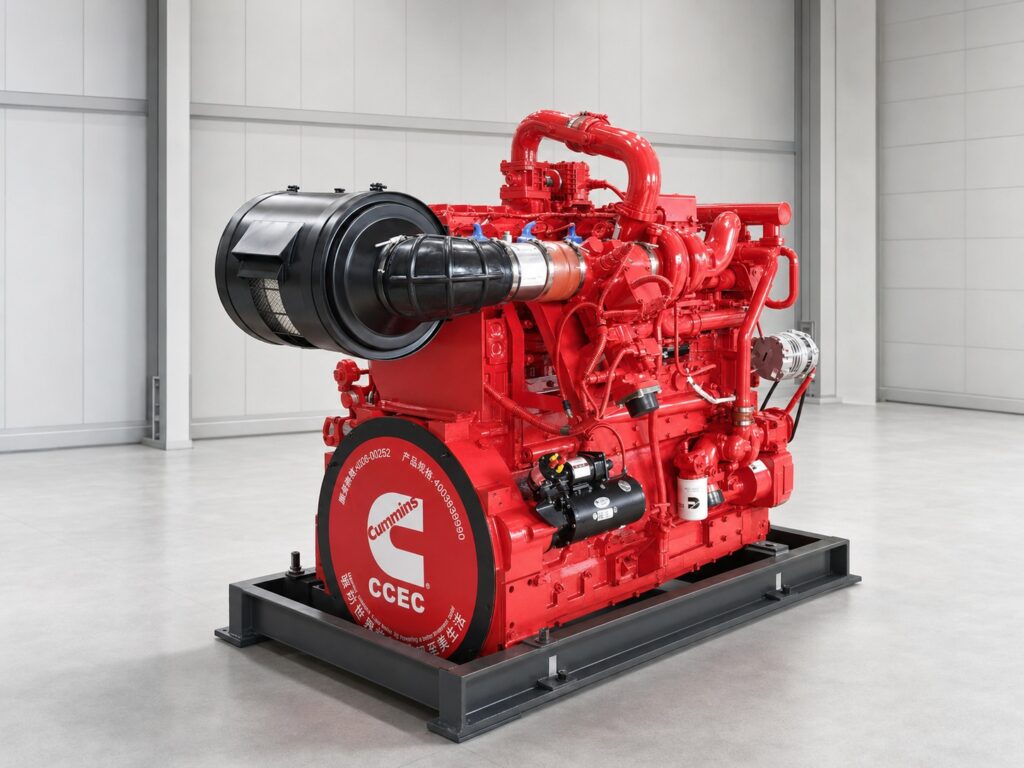
Choose Fuel Type for Emergency Backup Generator
Diesel vs Natural Gas vs Propane
Diesel generators provide high energy density. One gallon contains 137,381 BTU of energy. This fuel delivers 15% to 20% longer runtime than gasoline. When you select emergency backup generators, diesel is often considered the best fuel for generator efficiency, especially for long, steady use. It also has a long shelf life.
Natural gas offers lower operating costs at $0.10 to $0.18 per kWh. At 75% load for a 100 kW generator, natural gas costs $0.13 per kWh. Diesel costs $0.22 per kWh under the same conditions. Natural gas generators have higher efficiency. Using current pricing, natural gas delivers more energy per dollar. Natural gas generator sets are available for large-scale server rooms.
Propane offers portability. Its energy density is 25.5 MJ per liter, lower than diesel’s 38.6 MJ per liter. Propane runtimes are 25% to 30% shorter than gasoline.
Emissions regulations vary. Illinois requires new diesel backup generators at data centers to meet EPA Tier 4 standards. Natural gas generators must meet Tier 2 standards. Virginia requires Tier 4-equivalent controls for diesel generators starting July 2026. Emergency generators can operate up to 100 hours per year for testing. Grid outages allow unlimited operation.
Fuel Storage, Cost, and Runtime
Diesel requires on-site storage tanks with space and maintenance. Natural gas eliminates storage through the gas line. This supports unlimited runtime. Propane requires pressurized tanks. Storage volume limits runtime.
Fuel consumption differs. At 5 kW load, natural gas uses 0.5 gallons per hour. Diesel uses 0.35 gallons per hour. Diesel consumes less fuel per hour.
Runtime depends on server room size. Natural gas provides the longest runtime for facilities with gas line connections. Diesel offers extended runtime with sufficient on-site storage.
Operating costs favor natural gas at $0.10 to $0.18 per kWh. Diesel costs $0.22 to $0.28 per kWh. Natural gas produces fewer emissions.
Size Your Emergency Backup Generator Correctly
kW, kVA, and Power Factor
Generator sizing demands attention to two distinct power measurements. Kilowatts (kW) represent real, useful power that performs actual work. Kilovolt-amperes (kVA) represent total apparent power, including reactive power that sustains magnetic fields in motors and transformers. The relationship between them follows a simple formula: kW = kVA × power factor.
Power factor measures how efficiently electrical power converts into useful work. Most server room equipment operates with a power factor less than 1. A 100 kVA generator serving a load with a 0.8 power factor delivers only 80 kW of usable power. Sizing solely on kW creates a dangerous error. The alternator may overheat when loads exhibit poor power factors, even though the kW reading appears acceptable.
UPS rectifiers present a particular challenge. These devices draw current in nonlinear patterns that distort the power waveform. This distortion lowers the effective power factor and increases reactive current. A generator sized for the kW load alone may struggle to supply the reactive current these rectifiers demand.
Consider a practical example. A server room draws 80 kW of real power with a 0.8 power factor. The apparent power requirement equals 100 kVA. A generator rated at 100 kVA with a 0.8 power factor rating matches this load exactly. However, adding a safety margin for future growth raises the requirement to 120 kVA. This margin protects against unexpected loads and component degradation over time.
Manufacturer sizing tools simplify this process. These calculators accept equipment lists and automatically compute kVA requirements. They account for power factor variations and starting surge. Consulting a licensed electrical engineer provides additional assurance for complex installations.
Standby vs Prime Rating and Load Factor
Generator manufacturers assign two distinct ratings under ISO 8528. Standby (ESP) ratings support emergency use only. Prime (PRP) ratings support continuous operation. Server rooms typically require standby-rated generators because they operate only during outages.
The differences between these ratings matter for selection. Standby generators are intended for emergency use with limited annual operating hours. Prime generators are designed for continuous operation. Standby units typically carry no overload capacity, while prime units allow a limited overload. Both ratings limit average load factor to a percentage of rated power over 24 hours.
| Attribute | Standby (ESP) | Prime (PRP) |
|---|---|---|
| Annual usage | Limited (emergency use) | Unlimited (continuous operation) |
| Overload capacity | None specified | Limited overload allowed |
| Average load factor (24h) | Restricted to a percentage of rated power | Restricted to a percentage of rated power |
| Typical application | Emergency backup (hospitals, data centers) | Continuous variable load (manufacturing, mining) |
The ISO 8528-1 standard limits average power output to a percentage of rated power over a 24-hour period. This limit can be raised when the engine manufacturer explicitly agrees. Large data center applications commonly secure this exception because their loads remain stable and predictable.
Industry practice reveals a different target. The most commonly anticipated load factor for standby generators in server rooms is conservative. This conservative figure reflects typical equipment usage patterns. A generator operating at a typical load factor delivers a certain average output. The same unit at a higher load factor produces a higher average output. The conservative load factor target provides substantial headroom for starting surge and unexpected demand.
Starting surge demands special attention during sizing. UPS rectifiers and cooling compressors draw several times their running current during startup. A generator operating near its rated capacity may stall when these loads engage. The conservative load factor ensures adequate reserve capacity for these transient demands.
When you select emergency backup generators, verify the load factor against your actual usage patterns. A generator sized at a conservative load factor runs efficiently and maintains reliability. Higher load factors reduce initial cost but increase stress on the engine and alternator. The balance between cost and reliability depends on your specific requirements.

Ensure Compliance and Plan Maintenance
NFPA 110 and Local Codes
Server rooms require compliance with NFPA 110. When you select emergency backup generators, this standard governs emergency power supply systems. NFPA 110 classifies emergency power supply systems. Server rooms typically require a classification for non-life-safety applications. The necessary maintenance and testing apply to both levels.
NFPA 110 sets installation requirements. The emergency power supply must be installed in a protected enclosure with appropriate fire-resistance. The EPS must receive protection from floods, fire, vandalism, wind, earthquakes, and lightning.
Local codes add requirements. Setbacks from property lines may apply. Noise limits restrict generator operation. Fuel storage permits require documentation. Each jurisdiction has unique rules. Consulting local authorities early prevents costly issues.
Transfer Switch, Testing, and EPA Regulations
The automatic transfer switch is a critical component. NFPA 110 requires each switch to be listed for emergency service. The switch must be factory-assembled and factory-tested. Mechanical interlocking prevents inadvertent interconnection of primary power and the EPS. Time-delay devices require specific settings. For example, time delay on start, restoration, and shutdown have minimum durations.
Testing follows a strict schedule. Monthly exercise of the EPSS under load is required for a minimum duration. A cool-down period follows. Cold starts must be included in load tests. Transfer switch operation must occur monthly. Annual inspection by a technician is necessary. If the generator does not reach a sufficient percentage of nameplate kW during monthly tests, an annual supplemental load bank test is required.
The EPA regulates testing hours. The 100-Hour Rule under RICE NESHAP governs emergency generators. Total annual hours for maintenance and testing is 100 hours. Testing hours are included in the 100-hour cap.
| Frequency | Required Action |
|---|---|
| Monthly | Simulate a main power failure; verify transfer to generator and back. |
| Annually | Qualified technician inspects all components. |
Parallel systems with multiple generators offer redundancy for critical facilities. One unit can fail while others continue operation. The transfer switch ensures seamless switchover. Power transfers from utility to generator without interruption. Documentation of all tests, repairs, and modifications is mandatory.
Select emergency backup generators by following four essential steps. Calculate your power load accurately, including future growth. Choose a fuel type that matches your runtime requirements and budget. Size the generator correctly using kW, kVA, and power factor. Ensure compliance with NFPA 110 and plan regular maintenance. The ideal generator depends on your server room size, runtime needs, and budget. Start with a thorough power audit. Consult a licensed electrical engineer. For large-scale installations, consider a turnkey solution from a provider. Use our free generator sizing worksheet to begin your selection process.